 Proudly Canadian owned and operated


If your business website is still running an older version of WordPress, you could be exposing your website to security risks, slower loading speeds, SEO ranking drops, plugin compatibility issues, and poor user experience.
With the release of WordPress 7, website owners now have access to major improvements in:
- Website speed optimization
- SEO performance
- Security enhancements
- AI-ready website structure
- Mobile responsiveness
- Plugin and theme compatibility
- Better website management tools
At WebCrafters maintenance depratment, we help businesses across Canada safely upgrade and optimize WordPress websites using secure hosting environments powered by Plesk.
Whether you manage your own website or want professionals to handle everything for you, this step-by-step WordPress 7 upgrade guide will help you avoid costly mistakes and improve your website performance.
- Why Updating to WordPress 7 Is Critical in 2026
- What’s New in WordPress 7?
- Before You Update WordPress 7
- Step 1: Login to Your WebCrafters Customer Portal
- Step 2: Create a Full Website Backup
- Step 3: Update Plugins and Themes First
- Step 4: Update Your Website to WordPress 7
- Step 5: Test Your Website Carefully After Updating
- Common Problems After Updating WordPress
- SEO Benefits of Updating to WordPress 7
- Free WordPress Updates for WebCrafters Maintenance Clients
- Why Businesses Choose WebCrafters for WordPress Management
- Request a WordPress 7 Upgrade Quote
- Frequently Asked Questions About Updating to WordPress 7
Why Updating to WordPress 7 Is Critical in 2026
Many business owners delay WordPress updates because they are worried something may break. While that concern is understandable, delaying updates is actually far riskier.
Older WordPress websites are one of the biggest targets for:
- Malware attacks
- Website hacks
- SEO spam injections
- Plugin vulnerabilities
- Data theft
- Blacklisting from Google
Updating to WordPress 7 helps protect your website while improving your online visibility and customer experience.
In today’s competitive digital market, a slow or outdated website can directly impact:
- Google rankings
- Website traffic
- Lead generation
- Online sales
- Customer trust
Businesses investing in website performance and technical SEO are seeing significantly better results in search engines.
What’s New in WordPress 7?
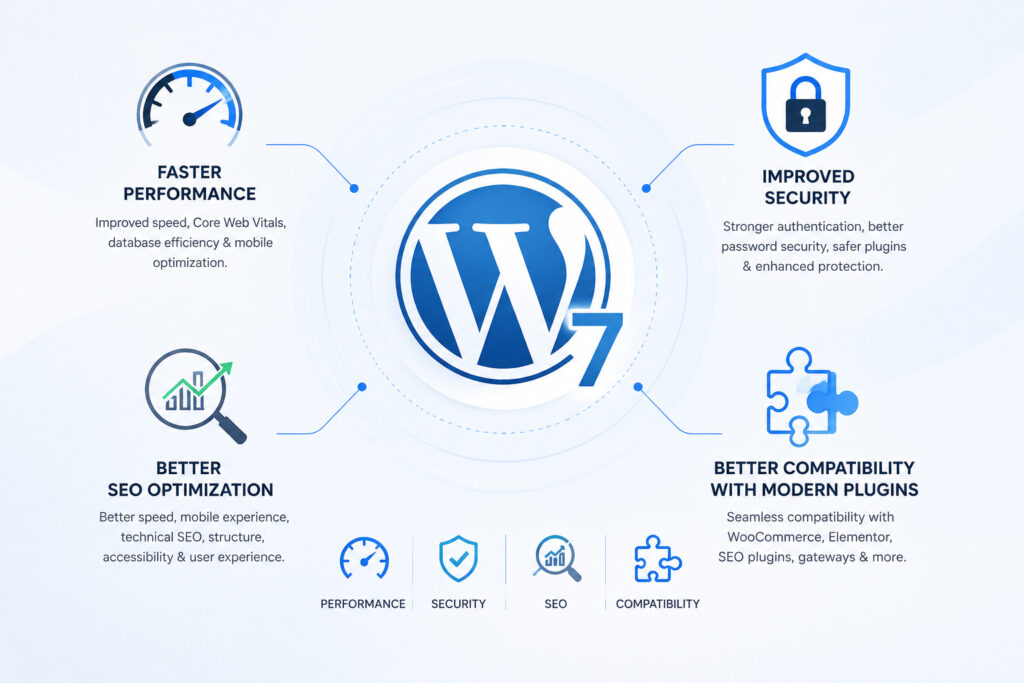
WordPress 7 introduces major improvements focused on performance, security, modern website design, and better developer tools.
Key Benefits of WordPress 7
Faster Website Performance
Website speed has become one of the most important ranking factors for Google SEO.
WordPress 7 improves:
- Page loading speed
- Core Web Vitals
- Database efficiency
- Asset loading
- Mobile optimization
A faster website means:
- More conversions
- Better SEO rankings
- Lower bounce rates
- Better user engagement
Improved Website Security
Cybersecurity threats against WordPress websites continue to increase every year.
WordPress 7 includes:
- Better authentication systems
- Improved password security
- Safer plugin architecture
- Enhanced security APIs
- Stronger protection against vulnerabilities
For business websites, eCommerce stores, and lead generation websites, security is no longer optional.
Better SEO Optimization
Modern SEO goes far beyond keywords.
Google now evaluates:
- Website speed
- Mobile experience
- Technical SEO
- Website structure
- Accessibility
- User experience
WordPress 7 helps improve technical SEO performance, which can positively affect your search rankings over time.
Better Compatibility With Modern Plugins
Older WordPress versions often create compatibility issues with:
- WooCommerce
- Elementor
- SEO plugins
- Payment gateways
- Contact forms
- Security plugins
Updating your website helps ensure everything continues running smoothly.
Before You Update WordPress 7
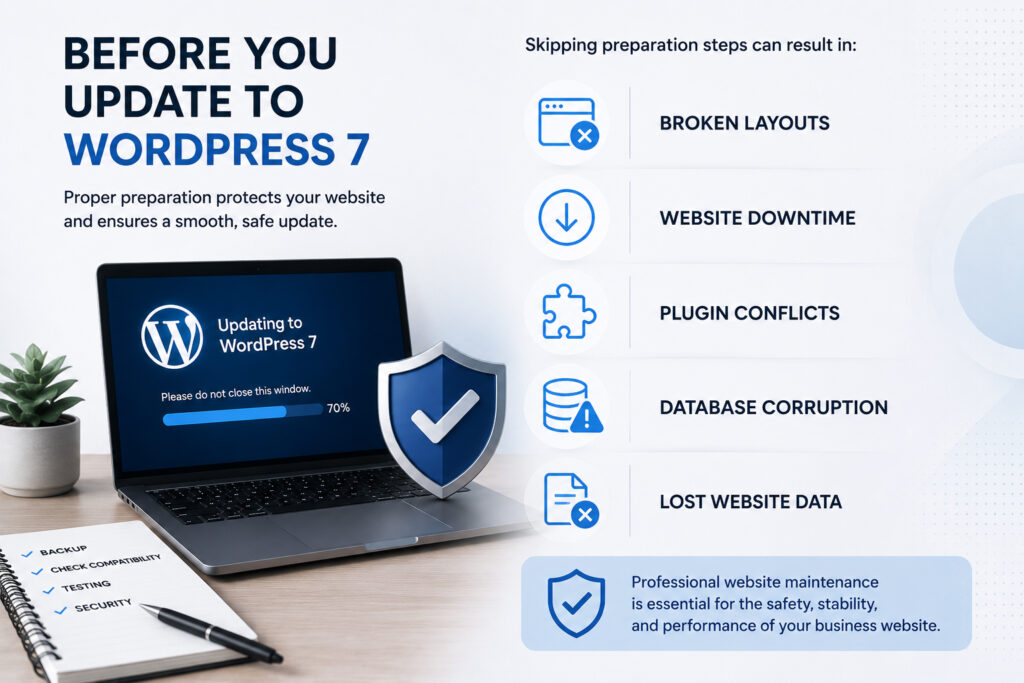
Before updating your website, it is important to properly prepare your hosting environment and website files.
Skipping preparation steps can result in:
- Broken layouts
- Website downtime
- Plugin conflicts
- Database corruption
- Lost website data
That’s why professional website maintenance is extremely important for business websites.
Step 1: Login to Your WebCrafters Customer Portal
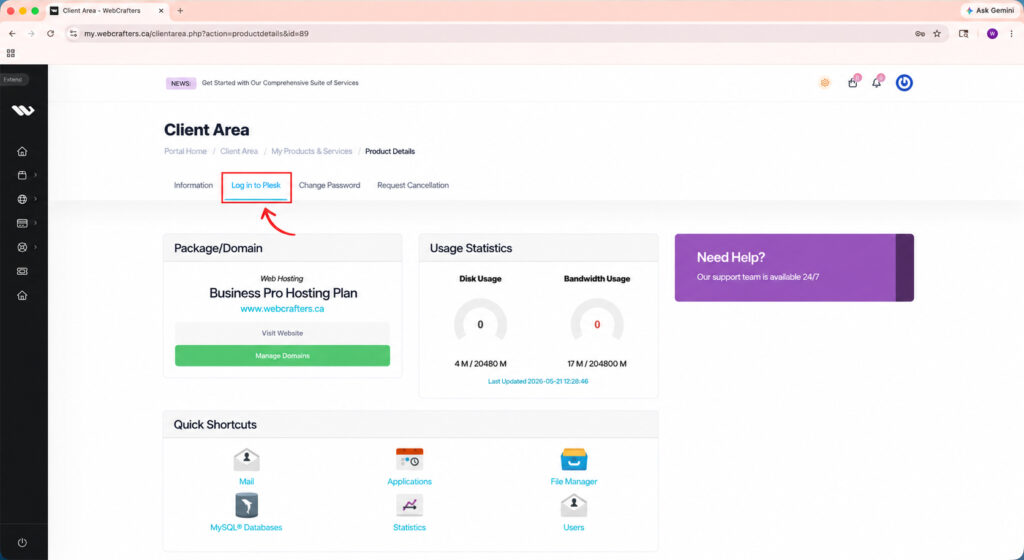
If your website is hosted with us, you can access your hosting dashboard through:
Once logged in:
- Open your hosting service
- Click “Login to Plesk”
- Access your hosting control panel
Plesk provides a professional website management environment where you can manage:
- WordPress installations
- Website backups
- Domains
- SSL certificates
- Emails
- Databases
- Security settings
- Website staging
Using Plesk makes WordPress management significantly easier and safer for business owners.
Step 2: Create a Full Website Backup
Before any WordPress update, always create a complete backup.
This is one of the most important steps in the entire process.
A proper backup protects your:
- Website files
- Images
- Database
- Website settings
- Emails
- Plugins
- Themes
If something goes wrong during the update, you can restore your website quickly.
How to Create a Backup in Plesk
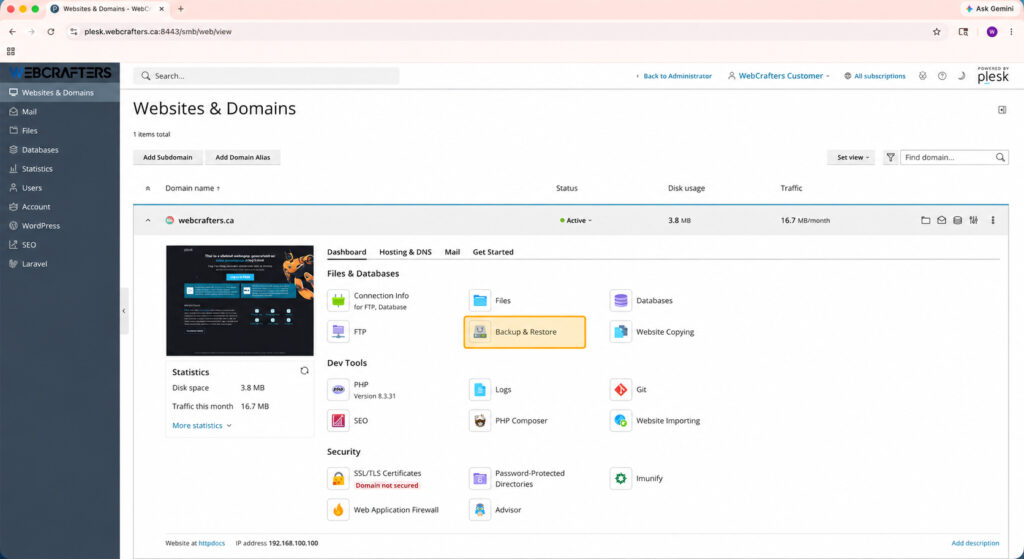
Inside Plesk:
- Go to Websites & Domains
- Open Backup Manager
- Click Back Up
- Select:
- Website files
- Databases
- Email accounts (optional)
- Start the backup process
Wait until the backup completes successfully before continuing.
Professional website management always starts with backup protection.
Step 3: Update Plugins and Themes First
One of the biggest reasons WordPress updates fail is outdated plugins and themes.
Before updating WordPress core:
- Update all plugins
- Update your website theme
- Remove unused plugins
- Remove outdated themes
Why This Matters
Old plugins may not support WordPress 7 properly.
This can cause:
- Broken pages
- Fatal errors
- White screen issues
- Checkout failures
- SEO problems
Keeping plugins updated improves:
- Website security
- Website speed
- SEO performance
- Compatibility
Step 4: Update Your Website to WordPress 7
Now it’s time to update WordPress itself.
There are two common methods.
Option 1: Update Through WordPress Dashboard
This is the easiest method for most website owners.
Steps
- Login to your WordPress Admin Dashboard
- Go to Dashboard → Updates
- Click Update to WordPress 7
- Wait for the process to finish
Do not close your browser during the update.
Depending on your hosting and website size, the process may take a few minutes.
Option 2: Update WordPress Using Plesk WordPress Toolkit
Plesk includes an excellent WordPress Toolkit designed specifically for secure WordPress management.
This is the recommended method for many business websites.
Steps
- Login to Plesk
- Open WordPress Toolkit
- Select your website
- Click Check Updates
- Click Update
The WordPress Toolkit can also:
- Automatically update plugins
- Enable security hardening
- Create staging websites
- Scan vulnerabilities
- Improve website security
- Manage backups automatically
This makes Plesk one of the best hosting control panels for WordPress websites.
Step 5: Test Your Website Carefully After Updating
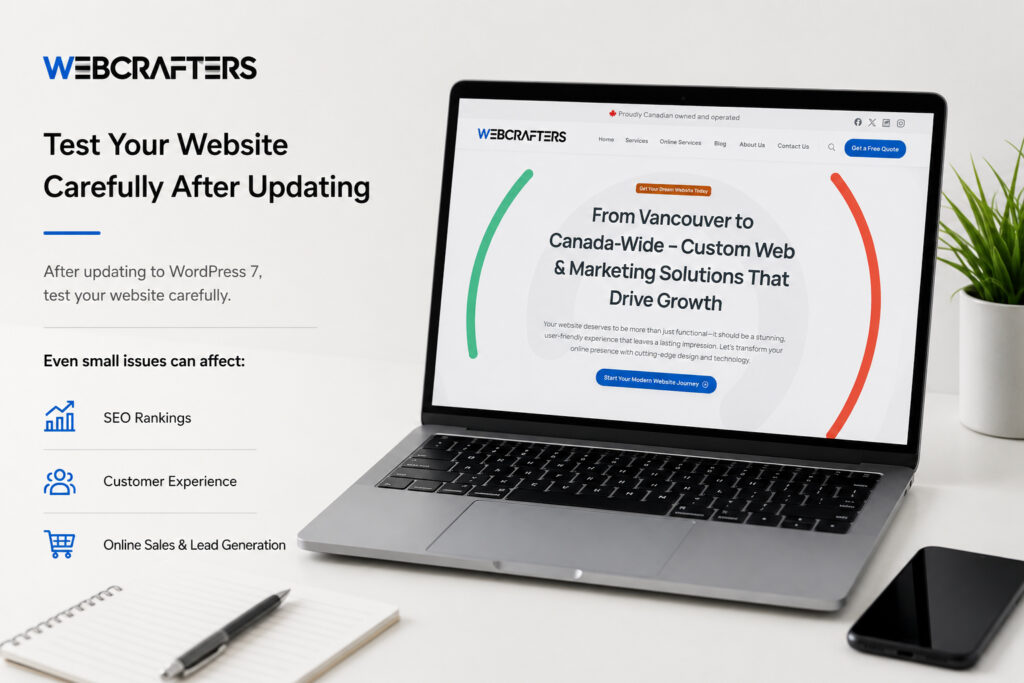
After updating to WordPress 7, test your website carefully.
Even small issues can affect:
- SEO rankings
- Customer experience
- Online sales
- Lead generation
Important Areas to Test
Homepage
Check:
- Images
- Sliders
- Buttons
- Layouts
Mobile Version
Google prioritizes mobile-first indexing.
Test:
- Mobile responsiveness
- Loading speed
- Navigation menus
Contact Forms
Make sure:
- Forms submit properly
- Emails are delivered
- Spam protection still works
WooCommerce Stores
If you run an online store:
- Test cart functionality
- Test checkout process
- Test payment gateways
- Test shipping calculations
Website Speed
Use speed testing tools to verify:
- Page speed
- Core Web Vitals
- Performance scores
Common Problems After Updating WordPress
Some websites may experience issues after upgrading.
This is especially common on:
- Older websites
- Custom-built themes
- Outdated plugins
- Cheap hosting environments
Common Problems Include
- Plugin conflicts
- Website crashes
- White screen of death
- Broken layouts
- Slow loading speed
- PHP compatibility issues
- Elementor problems
- WooCommerce checkout issues
This is why many businesses prefer professional WordPress maintenance services instead of handling updates internally.
SEO Benefits of Updating to WordPress 7
Updating WordPress is not just a technical task. It directly affects your website’s SEO and online visibility.
Better Technical SEO
WordPress 7 helps improve:
- HTML structure
- Website accessibility
- Mobile optimization
- Structured data compatibility
- Website speed
These factors help search engines better understand your website.
Improved Core Web Vitals
Google heavily prioritizes:
- Speed
- User experience
- Stability
WordPress 7 helps improve:
- Largest Contentful Paint (LCP)
- Interaction responsiveness
- Visual stability
These metrics directly impact SEO rankings.
Better User Experience
Modern users expect:
- Fast loading websites
- Smooth navigation
- Mobile-friendly design
- Secure browsing
Improving user experience can increase:
- Conversion rates
- Lead generation
- Customer trust
- Online sales
Free WordPress Updates for WebCrafters Maintenance Clients
If your website is hosted and maintained by WebCrafters with an active maintenance plan, your WordPress updates are already included automatically.
Our website maintenance services include:
- WordPress core updates
- Plugin updates
- Security monitoring
- Malware scanning
- Website backups
- Performance optimization
- Uptime monitoring
- Technical support
This means your website stays secure, optimized, and updated without you needing to worry about technical maintenance.
Why Businesses Choose WebCrafters for WordPress Management
At WebCrafters Solutions, we specialize in:
- WordPress website management
- Website redesigns
- SEO optimization
- WooCommerce support
- Website speed optimization
- Website security
- Plesk hosting management
- Technical SEO improvements
We help businesses across Canada improve:
- Google rankings
- Website performance
- Lead generation
- Online visibility
Whether you need a simple WordPress update or a full website redesign, our team can help.
Request a WordPress 7 Upgrade Quote
We can help with:
- Safe WordPress upgrades
- Plugin troubleshooting
- WooCommerce fixes
- Website optimization
- SEO improvements
- Website redesigns
- Ongoing maintenance plans
Updating to WordPress 7 is one of the best investments you can make for your website’s security, SEO performance, speed, and long-term growth.
A modern, secure, and optimized website helps your business:
- Rank better on Google
- Generate more leads
- Improve customer trust
- Increase online sales
- Stay protected against cyber threats
If you prefer a stress-free solution, the team at WebCrafters Solutions is ready to help manage everything for you professionally and safely.
Frequently Asked Questions About Updating to WordPress 7
WordPress 7 is the latest major version of the WordPress content management system, designed to improve website performance, security, SEO optimization, mobile responsiveness, and compatibility with modern plugins and themes.
Businesses upgrading to WordPress 7 can benefit from better website speed, improved user experience, and stronger website security.
Updating to WordPress 7 helps protect your website from security vulnerabilities while improving:
– Website speed
– SEO rankings
– Plugin compatibility
– Mobile performance
– Website stability
Older WordPress versions can expose your website to hacking attempts, malware infections, and SEO performance issues.
Yes. WordPress itself is free to update.
However, some websites may require:
– Plugin updates
– Theme fixes
– PHP upgrades
– Developer support
– Website troubleshooting
depending on the age and complexity of the website.
In some cases, yes.
Websites using outdated plugins, old themes, or custom development may experience:
– Plugin conflicts
– Broken layouts
– WooCommerce issues
– White screen errors
– Slow website performance
This is why creating a backup before updating is extremely important.
For most websites, the update process takes between 5 to 30 minutes.
However, larger websites or WooCommerce stores may require additional testing and optimization after the update.
Basic WordPress updates are relatively simple, especially using Plesk WordPress Toolkit.
However, troubleshooting compatibility issues may require technical knowledge related to:
– PHP versions
– Database management
– Plugin debugging
– Website hosting
– WordPress development
Many businesses prefer professional website maintenance services to avoid downtime or technical problems.
If your hosting is managed through Plesk:
– Login to your hosting control panel
– Open Backup Manager
– Create a full backup of: Website files
– Databases
– Emails (optional)
A complete backup ensures your website can be restored if something goes wrong during the update.
Some older plugins may stop working correctly after the update.
– Possible issues include:
– Broken website functionality
– Website errors
– Checkout problems
– Design issues
A professional compatibility review can identify outdated plugins before updating.
Yes.
Updating WordPress can improve:
– Website speed
– Technical SEO
– Mobile performance
– Core Web Vitals
– Security signals
Google prioritizes fast, secure, and optimized websites in search rankings.
Yes.
Customers with an active maintenance plan through WebCrafters receive ongoing WordPress updates automatically as part of their maintenance service.
This includes:
WordPress core updates
Plugin updates
Security monitoring
Backup management
Website maintenance
Absolutely.
At WebCrafters, we provide:
WordPress 7 upgrades
Website troubleshooting
WooCommerce support
Website speed optimization
SEO improvements
Security hardening
Ongoing maintenance services
We help businesses across Canada safely manage and optimize their WordPress websites.
You can request a quote directly here:
Request a Website Update Quote
Our team can review your website and provide recommendations for:
– WordPress upgrades
– Website optimization
– SEO improvements
– Website redesigns
– Maintenance plans