
B2B e-commerce solutions
B2B e-commerce website development for Canadian wholesalers, manufacturers and distributors.
Your business customers already know what they want. Give them a wholesale ordering portal where they log in, see their own prices, reorder in a minute and pay on account, and stop retyping orders that arrive by phone, email and PDF. We build B2B e-commerce on WordPress and WooCommerce, connect it to your accounting or ERP, and quote a fixed price for a clearly defined first version.
Since 2021 serving Canadian businesses
Vancouver based, working across Canada
No per-seat fees for buyers or sales reps
Chosen by





B2B features, explained
Eight things a B2B portal does that a normal online store cannot.
Selling to businesses is not selling to shoppers. Buyers have accounts, negotiated prices, purchase orders and a boss who approves. These are the functions that make a wholesale website work.
Customer-specific pricing
Each customer or customer group logs in and sees their own price list, volume breaks and negotiated discounts. The public sees list prices, or nothing until they are approved.
Quick order and bulk order forms
Buyers who know their part numbers type SKUs and quantities into one table, or upload a spreadsheet, and check out in a minute without browsing a catalogue.
Reorder in one click
Most B2B orders are repeats. Every past order and saved list can be reordered or edited in one step, from a phone on a job site or a desk in purchasing.
Company accounts, buyers and approvers
One company, several logins. Buyers build the order, a manager approves it above a limit you set, and everyone sees the same order history and invoices.
Purchase orders and net terms
Approved customers check out on account with a PO number and Net 15, 30 or 60 terms, inside a credit limit. New customers pay by card until you approve them.
Request a quote from the cart
For large or custom orders the buyer sends the cart as a quote request. Your team adjusts prices and freight, sends it back, and the buyer accepts it as an order.
Minimums, case packs and gated products
Minimum order values, order multiples, case quantities, and products or whole categories that only certain customers can see or buy.
Tax exemption and freight handled
Tax-exempt customers and resellers are flagged once and charged correctly by province after that. Parcel rates are live, and pallet or LTL orders go to a freight quote.
No per-seat licence fees
The portal runs on WordPress and WooCommerce, so there is no charge per buyer, per sales rep or per order. Hosting is priced separately and extension licences are listed on your quote, and once paid in full the portal, the code written for it and your data are yours.
Integrations and functions
What a B2B portal connects to, and what each connection does for you.
A wholesale website pays for itself when an order placed at 9 pm is in your accounting system, picked and shipped without anyone retyping it. The first version connects the one system that matters most, and the rest follow in later phases.
Accounting and ERP
The portal is only worth it if orders stop being retyped.
 QuickBooks OnlineCustomers, orders and invoices posted automatically, with payments matched.
 XeroThe same two-way sync of contacts, invoices and payments for businesses on Xero.
 SageOrders and invoices posted to Sage accounting, with customer records kept in step.
 NetSuiteCustomers, items, sales orders and invoices synced with NetSuite, both ways.
 OdooOrders, stock and invoices exchanged with Odoo, with pricing kept in one place.
Customers and sales team
Buyers serve themselves, and your reps see everything.
 HubSpotNew accounts, quotes and orders written to the CRM record.
 SalesforceAccounts, contacts, quotes and orders kept in sync with Salesforce.
Payments and credit
Let good customers pay the way they already do.
 StripeCard payments for new accounts and small orders, with details kept off your site.
 MonerisCanadian card processing settled in CAD, for businesses already on Moneris.
Shipping and freight
Parcels are easy. Pallets need a different path.
 Canada PostLive parcel rates and labels, with tracking emailed to the buyer.
 PurolatorNext-day parcel service across Canada, rated live at checkout.
 FedExParcel and express shipping, with labels printed from the order.
 UPSDomestic and cross-border parcels, rated and tracked automatically.
 DHLInternational express for orders going beyond North America.
 ABF FreightLTL and pallet freight quoted before the order is confirmed.
 EstesPallet shipments across Canada and the US, with freight class worked out for you.
 Day and RossCanadian LTL freight with a quote attached to the order.
Inventory and catalogue
One catalogue, the right view for each customer.
Automation and reporting
The follow-up nobody has time to do by hand.
 Zapier and MakeConnect the tools that have no direct integration, without custom code.
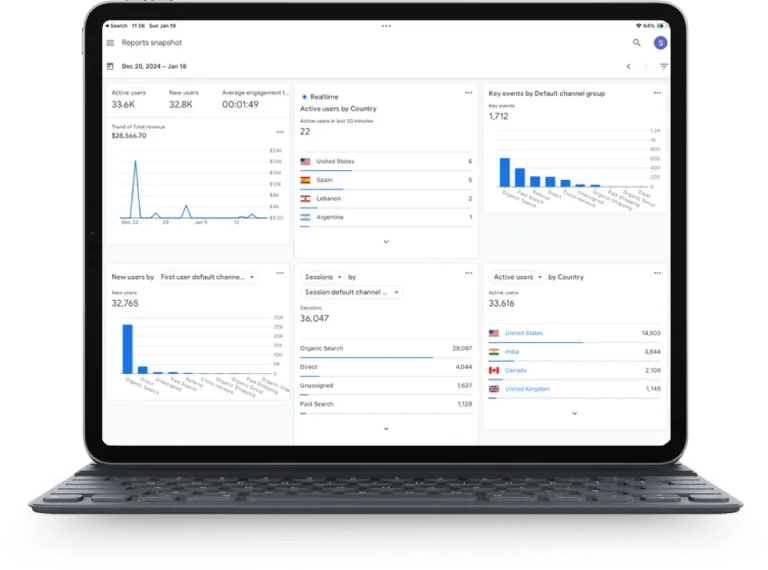
 Google Analytics 4Revenue by customer group, product and sales channel in one report.
Not sure what your portal needs first?
Tell Ella how your customers order today. Ella will outline the portal that fits.
Seven quick questions about your customers, your pricing and the systems you run. You get a plain-words outline of the accounts, ordering tools and integrations worth building first, and a project lead can turn it into a written quote. Two minutes, no jargon, no obligation.
Ella is automated and can make mistakes. Your written quote from a project lead is the final word.
How it works
From phone orders to a working portal in four steps.
A focused first version usually takes eight to twelve weeks, most of it spent on pricing rules, data and the accounting or ERP connection. Your quote shows the real dates, and later phases are quoted separately.
01
Discovery and written spec
We walk through how an order travels today, from the phone call to the invoice, who touches it and which system holds the truth. You get a plain-words spec and a fixed price for the first version.
Week 1
02
Pricing rules, catalogue and design
Customer groups, price lists, catalogue structure and the ordering screens are mapped and designed. You and a couple of real customers click through a prototype before we build.
Week 2 to 4
03
Build, import and connect
The portal is built on a private staging address, products, customers and price lists imported, and the accounting or ERP connection tested with real orders flowing both ways.
Week 4 to 10
04
Pilot with a few customers, then roll out
A handful of friendly customers order through the portal first. We fix what they trip on, train your inside sales team, then invite everyone else in batches. Optional maintenance plans keep it updated.
Week 10 to 12
Sound familiar?
Five things that slow a wholesale business down, and how a portal fixes each one.
If two or more of these describe your week, a B2B ordering portal will pay for itself in staff time before it earns a single new customer.
The challenge
Orders arrive by phone, email, text and PDF
Someone on your team reads each one, looks up the price, types it into the accounting system and emails a confirmation. It works until that person is on holiday.
How the portal helps
One place to order, at any hour
Customers order themselves, at their own prices, and the order lands in your system already typed. Your inside sales team handles the exceptions, not the routine.
The challenge
Every customer has a different price
The price list lives in a spreadsheet, in the ERP and in a sales rep’s head, and they do not always agree. Quoting the wrong one costs margin or a customer.
How the portal helps
Pricing rules applied at login
Group and customer price lists, volume breaks and contract prices are set once and applied automatically, so the price on screen is the price on the invoice.
The challenge
Buyers ask the same three questions
Is it in stock, where is my order, can you resend that invoice. Each one is a call or an email that interrupts someone.
How the portal helps
Self-service account
Live stock, order status with tracking, and every invoice and statement available to download, so the answer is there before they ask.
The challenge
Reorders are slow for everyone
Your best customers buy the same forty items every month and still have to send a list, and you still have to key it.
How the portal helps
Reorder and saved lists
Past orders and saved lists reorder in one click or with a few quantity changes. The repeat business that keeps you going takes a minute.
The challenge
You cannot see what is selling to whom
Sales reports come out of the accounting system at month end, by invoice, not by product or customer group.
How the portal helps
Reporting by customer and product
Revenue by customer group, product, rep and channel, live, with the quiet accounts and the rising products easy to spot.
What it costs
A fixed price for a defined first version.
B2B projects have a reputation for budgets that drift. Ours do not, because the quote is tied to a written spec for the first version, and anything outside it is quoted as a later phase. The number does not change unless you change the spec.
What moves the price
How many products and customers, how complicated the pricing rules are, which system it connects to and how clean that data is, and whether retail customers share the same site.
Payment plans up to 24 months
Pay by milestone, or spread the cost over up to 24 months. Credit and debit cards and bank transfer are both fine.
Hosting priced separately
The portal is a one-time price. Hosting on WebCrafters Cloud is a separate ongoing cost, paid monthly or yearly, and your quote lists every WooCommerce and B2B extension licence the portal needs, with no fee per buyer or per order. Ongoing care plans are optional, with fixed monthly prices.
Questions
What owners ask about B2B e-commerce.
If yours is not here, the full list is one click away, or just pick up the phone.
Still have a question?
Call us on a weekday, or send a note and we will get back to you within one business day.
Can each customer see their own prices on a B2B ordering portal?
Yes, each customer can see their own prices on a B2B portal. Pricing can be set per customer group, such as dealer, contractor and distributor, or per individual customer, with volume breaks and contract prices on top. Customers only ever see their own numbers after logging in. Price lists can be imported from a spreadsheet or synced from your accounting or ERP system so they are maintained in one place.
Can a B2B portal connect to our accounting or ERP system?
Usually, yes, a B2B portal can connect to your accounting or ERP system. QuickBooks Online, Xero and Sage connect through established connectors. Larger ERP systems connect through their API or a scheduled file exchange. During discovery we confirm exactly which data moves in which direction, customers, prices, stock, orders and invoices, and the spec says so in writing. If a system cannot be connected cleanly, we tell you before quoting.
Will customers who phone or email still be able to order after we launch a B2B portal?
Yes, customers who phone or email can still order. A portal does not replace your inside sales team, it takes the routine orders off their desk. Staff can place an order on behalf of a customer from the same system, so phone and email orders land in one place with the right pricing. Most businesses move customers over gradually, starting with the ones who reorder the same things.
Should a B2B store run on WooCommerce or on a dedicated B2B platform?
WooCommerce with B2B extensions suits most small and mid-sized wholesalers and distributors. You own it, there are no per-seat or per-order fees, and it can share a site with your public catalogue. If your business is more complex, with tens of thousands of SKUs, multi-warehouse rules, EDI or features WooCommerce cannot handle well, we have other solutions too, such as a custom web app built on Laravel or a dedicated B2B platform connected to your systems. We look at how you work first and recommend the fit in writing, with the reasons, before anything is quoted.
Start today
Tell us how your customers order today. A project lead replies within one business day.
Two minutes to fill in, no obligation. Tell us what you sell, how pricing works and which system you run, and within one business day you get a written quote for the first version of your portal with a fixed price, a start date and a mockup of the main ordering screen.
- A written spec and fixed price for the first version
- One project lead from your first message to launch
- No per-seat or per-order fees, hosting priced separately
"*" indicates required fields